
Flavorish | Save Any Recipe
FlavorishFood & Drink
4.6148.00 Reviews
- Version
- 4.6.1
- Installs
- 50.00K
- Age Rating
- Everyone
Screenshots
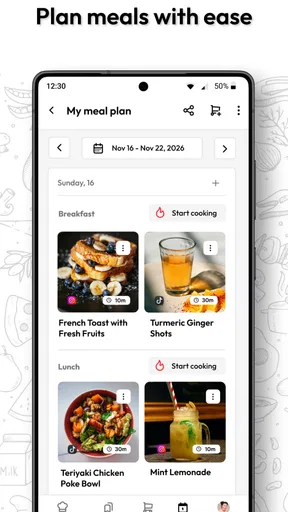
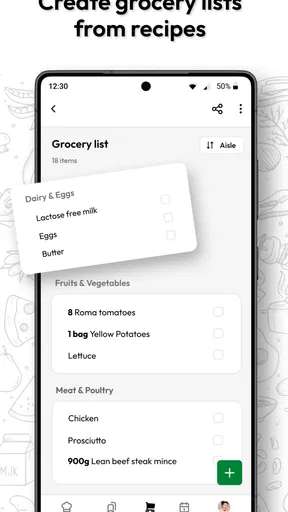
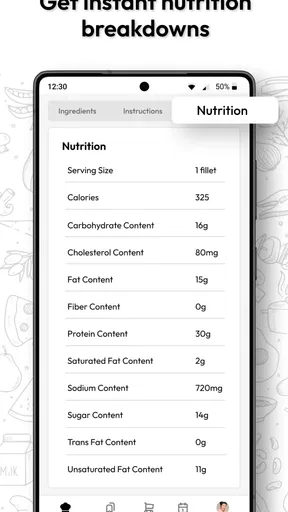
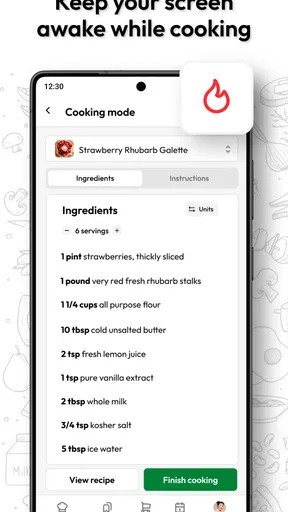
Our Review of Flavorish | Save Any Recipe
 Analysis by Appyee
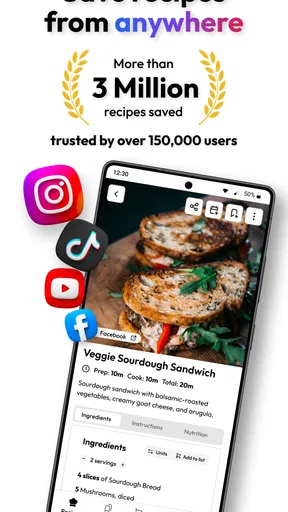
I treat a recipe-saving app as a bridge between seeing a dish and actually cooking it. That bridge matters most when recipes arrive from different places: a social post while I’m waiting for the bus, a page I open during lunch, or a photo someone sends me. Flavorish | Save Any Recipe is built for that scattered kind of discovery, bringing those finds into one place instead of leaving me to hunt through browser tabs and camera-roll screenshots later.
A practical routine from discovery to dinner
The useful habit is to save a recipe as soon as I decide I might make it, then sort it when I have a moment. That separates collecting from planning: I don’t have to stop scrolling and build a perfect meal schedule just to keep an idea. Later, I can look through the saved recipes and choose something that suits the evening, rather than trying to remember which account posted it or which site I bookmarked.
For example, I might spot a soup in a social post during a busy afternoon and save it, then add the ingredients I’m missing to a shopping list before heading out. The advantage isn’t that the app makes dinner for me; it reduces the little bits of searching and copying that can make a recipe feel like more work than it is. I still check the actual recipe before shopping, especially if the post is brief or the ingredients are not clearly shown.
What to check before relying on a saved recipe
Recipe imports can depend on how the original creator shared the instructions. A complete webpage is usually easier to work with than a post that mainly contains a photo and a short caption. If a saved item seems incomplete, I’d keep the original source accessible and verify quantities, cooking time, and any important steps before starting. That is a sensible precaution with any tool that collects recipes from varied online sources, not a reason to treat every saved result as a finished, tested recipe.
I also recommend using categories for decisions you actually make. “Quick dinners,” “baking,” or “make again” can be more useful than creating a long list of narrow labels that you’ll forget to maintain. A short note can capture the detail that matters to you—such as a substitution you tried or whether a dish worked for a weeknight—so the saved recipe becomes more useful the next time it appears in your rotation.
Where it fits among recipe tools
Compared with browser bookmarks, Flavorish is aimed more directly at keeping recipes together and making them useful for cooking and shopping. Bookmarks are convenient if I only want to preserve a webpage, but a growing collection can become hard to browse. Screenshots are quick, yet they’re awkward when I need to find one dish among many or turn ingredients into a plan. A general notes app can do the job too, but it asks me to create and maintain more of the structure myself.
The trade-off is that a dedicated recipe collection only helps if I keep it tidy enough to use. If I prefer to cook from a single trusted cookbook, or I rarely save recipes from online sources, another tool—or no extra app at all—may be simpler. And if a recipe is important for dietary or safety reasons, I’d still check the creator’s full instructions instead of assuming that a saved card has captured every relevant detail.
Dishing Out the Details on Flavorish
First off, the whole idea behind Flavorish is super simple and clean. It's designed to help you save recipes from any corner of the internet, which, let’s be honest, is a lifesaver when you’re scrolling through social media at 2 AM, finding that perfect dish you want to try. You know how it goes, right? You see something mouth-watering and think, "I gotta try this!" Well, Flavorish makes it ridiculously easy to save those recipes so you can actually make them later.
How It Works
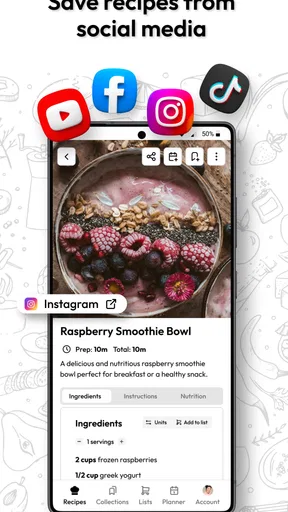
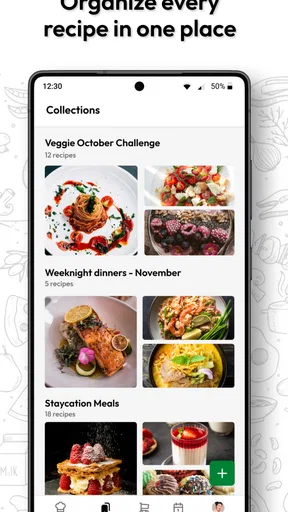
The app lets you save recipes from websites, blogs, or even social media posts. You just copy the link and paste it into the app, and boom, it’s saved. The interface is pretty intuitive, so you won’t need a PhD to figure it out. There’s also a neat feature where you can organize your recipes into different categories, like "Desserts," "Weeknight Dinners," or "Vegan Delights." Trust me, this organization feature is a godsend when you’re trying to plan meals for the week.
Why It’s a Must-Have for Foodies
Okay, let’s talk about why this app is a must-have. If you’re like me and constantly finding recipes you want to try, Flavorish is like having a personal recipe assistant. It saves you from the chaos of bookmarks and screenshots. Plus, it’s like a digital cookbook that you’re constantly adding to. The app even allows you to make notes on each recipe, which is perfect for jotting down any tweaks you make or ingredients you need to grab from the store.
Getting Social with Flavorish
Another cool thing is that you can share your saved recipes with friends. So, if you find a killer lasagna recipe, you can send it to your friend who’s always on the hunt for new pasta dishes. Sharing is caring, right? Plus, you can also discover new recipes shared by other users, which is a great way to find inspiration.
Design and Usability
The design is sleek and modern, making it easy on the eyes. The developers clearly put some thought into making it user-friendly, which I appreciate. Navigating through the app is a breeze, even for someone who might not be the most tech-savvy. Plus, the app doesn’t bombard you with ads, which is a huge plus in my book. Nobody wants to be interrupted by ads when they’re in the middle of a culinary brainstorm.
Settings and a repeatable rhythm
I’d begin with the basics rather than trying to configure a complicated system: save a few recipes from the places I already browse, give them practical categories, and see whether I reach for them when planning meals. Flavorish is a free Food & Drink app from Flavorish, with a 4.7 average from over 800 ratings and more than 10,000 installs. It is rated for Everyone, and the current version is 3.6, so it is approachable for a broad range of home cooks.
There is a useful distinction between collecting and curating. I can save an appealing idea immediately, then decide later whether it belongs in a regular rotation. That keeps the first step quick without letting every passing craving become a permanent part of my meal plan. If I find myself saving many similar recipes, I’d add a short note about what made one stand out—perhaps a simpler ingredient list or a technique I want to try—rather than making a new category for every variation.
Small habits that make the collection work harder
One efficient pattern is to do a brief review before grocery shopping: choose a few recipes, check their instructions, then build the shopping list from what is genuinely needed. This avoids buying ingredients based only on a photo or a caption. I’d also use notes for personal results rather than rewriting the whole recipe; “needed less salt” or “good for leftovers” is easier to scan next time and keeps the original directions recognizable.
When someone shares a recipe with me, I can treat that as a starting point for a shared cooking conversation: send the saved find back, ask what they changed, and record my own result for later. The practical benefit is a compact record of decisions, not just a pile of inspiration. This is especially handy for dishes I make irregularly, where I’m likely to forget which adjustment worked.
Who will get the most from it
I’d recommend it to people whose cooking inspiration is spread across social feeds, websites, and images, and to anyone who has lost a promising recipe among browser tabs. It also suits cooks who enjoy trying new dishes but want a lightweight routine for deciding what to buy and make. The combination of saving, organizing, notes, and shopping lists supports a useful loop: find an idea, check it, plan around it, and remember what happened.
On the other hand, it may not be the right fit if you want a strict meal-planning system to dictate a calendar, or if you need every recipe to be professionally standardized and tested. Flavorish helps gather and manage finds; it does not remove the judgment involved in checking a source, adapting a recipe, or deciding whether it fits your needs. Someone who already has a dependable method in a cookbook or a plain notes app may not gain enough to justify another place to maintain.
What the price and version mean in practice
The app is free to start, with in-app purchases ranging from $4.99 to $49.99 per item. I’d try the basic workflow first and only consider a purchase if I know which part of my routine it would improve. That makes the decision concrete: am I using the collection often, and do the available options solve a real friction point for me? The app’s minimum OS requirement is version 8.0, which is worth checking on an older device before relying on it for a new routine.
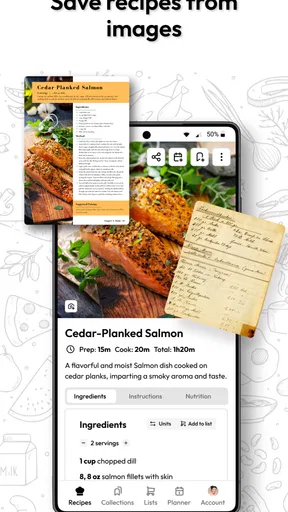
Because recipe sources vary, I wouldn’t assume every link or image turns into a complete set of instructions in the same way. The safest approach is to inspect each saved recipe before cooking, especially when timing, quantities, allergens, or food handling matter. If a source is mostly visual, keep the original post in mind and confirm the missing details rather than improvising from a picture. That small check is more reliable than expecting any recipe-saving app to interpret every creator’s format perfectly.
The verdict
So, should you download Flavorish | Save Any Recipe? If you love cooking, trying new recipes, or just need a better way to organize your culinary finds, I’d say it’s definitely worth a download. It’s like having a personal sous-chef in your pocket, always ready to help you whip up something delicious. Whether you’re a seasoned chef or just starting your cooking journey, this app is a fantastic tool to have in your digital kitchen arsenal.
Overall, I’ve found that Flavorish makes the process of discovering, saving, and organizing recipes almost effortless. It's one of those apps that you didn’t know you needed until you try it out. So, go ahead, give it a shot, and get ready to take your cooking game to the next level!
Verdict
Strengths of Flavorish | Save Any Recipe
- Easy to save recipes from multiple sources.
- User-friendly interface for quick access.
- Syncs recipes across devices seamlessly.
- Offers customizable categories for organization.
- Supports offline access to saved recipes.
Limitations of Flavorish | Save Any Recipe
- Limited support for non-English recipes.
- No calorie or nutritional information provided.
- Requires account to access full features.
- Occasional syncing issues reported.
- No integration with grocery list apps.
Similar Picks in This Category
View All
Rappi: Food Delivery, Grocery
Rappi, Inc - Delivery3.5

McDonald’s: Cupons e Delivery
Arcos Dorados4.3

Swiggy: Food Instamart Dineout
Swiggy4.7

Blinkit: Groceries & more
Blinkit4.8

foodpanda: food & groceries
Foodpanda GmbH a subsidiary of Delivery Hero SE4.0

Zomato: Food Delivery & Dining
Zomato4.7
Frequently Asked Questions
What is Flavorish and how does it work?
Flavorish is a versatile app designed to help users save and organize recipes from various sources. Once installed, you can easily capture recipes from websites or input them manually. The app categorizes and stores these recipes, allowing you to access them anytime, even offline. It’s perfect for culinary enthusiasts who want to have their favorite recipes at their fingertips.
Is Flavorish available for both Android and iOS devices?
Yes, Flavorish is available on both Android and iOS platforms. You can download it from the Google Play Store for Android devices and the Apple App Store for iOS devices. This ensures that users can enjoy the app's features regardless of their device preference.
Can I use Flavorish offline?
Absolutely! One of Flavorish's standout features is its ability to function offline. Once you save your recipes, they are accessible without an internet connection. This is particularly useful for users who want to cook while traveling or in areas with limited connectivity.
Does Flavorish offer recipe sharing options?
Yes, Flavorish allows you to share your saved recipes with friends and family. You can easily share recipes via email, text, or through social media platforms. This feature makes it simple to exchange favorite recipes and discover new culinary ideas with others.
Are there any subscription fees or in-app purchases in Flavorish?
Flavorish offers a free version with basic features. However, for users seeking enhanced functionality, such as advanced organizing tools or exclusive content, there may be in-app purchases or a premium subscription option. It’s advisable to review the app’s pricing details in the store before downloading.
